KOOCU K01 PRO Precision Electric Screwdriver Set – 16 Bits
Original price was: ₹1,850.00.₹940.00Current price is: ₹940.00.
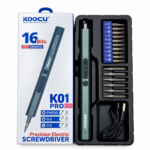
KOOCU K01 PRO Electric Screwdriver kit brings a slim precision driver, 16 interchangeable bits and a USB cable together in an organised tray. The photographed set contains 10 short bits and 6 longer bits. A practical addition to an electronics repair workstation, with compatibility determined by the selected bit and screw type.
KOOCU K01 PRO Electric Screwdriver is a precision repair tool supplied with a 16-bit assortment, USB cable and fitted storage tray. Its slim, pen-style body provides a compact format for working with compatible small screws during electronics servicing.
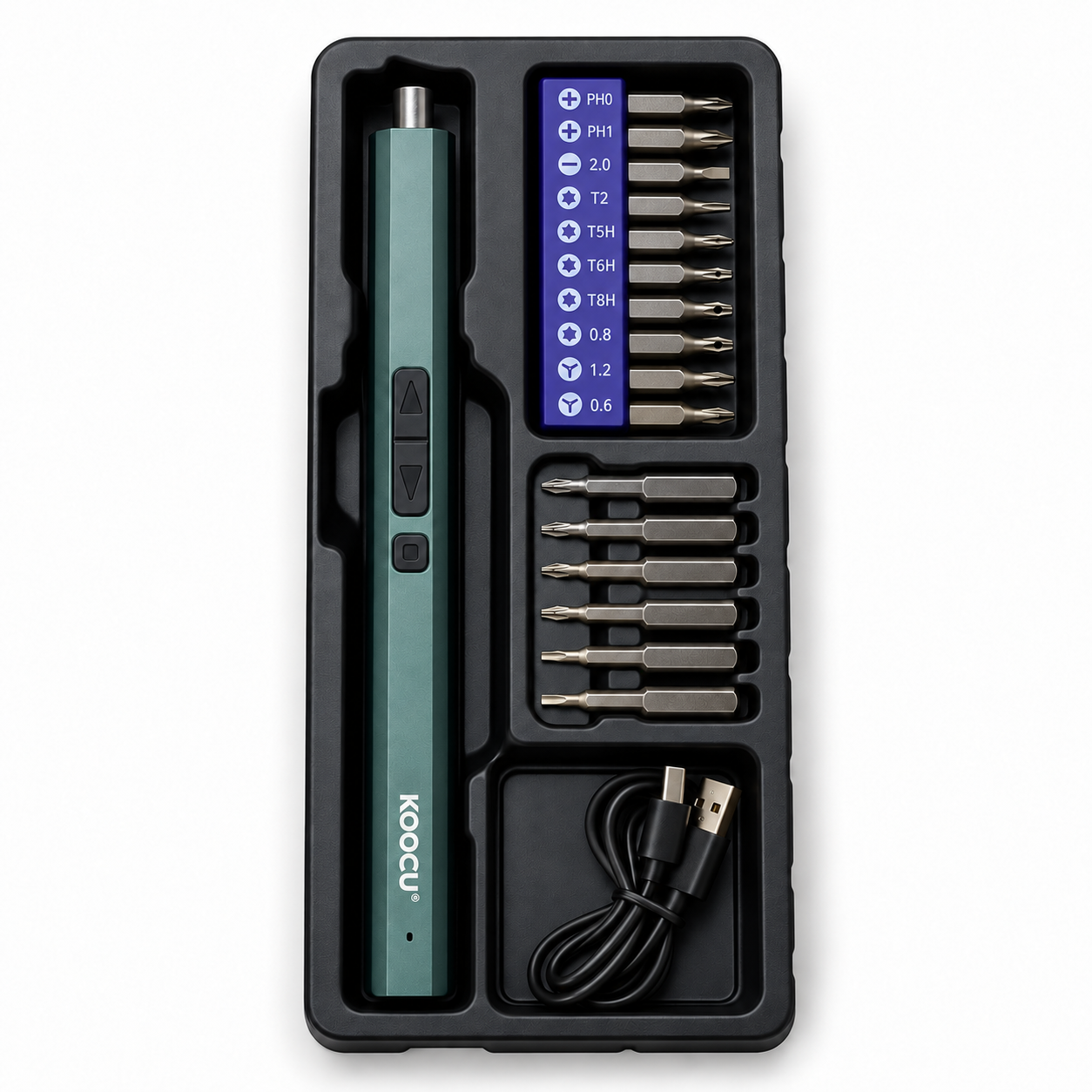
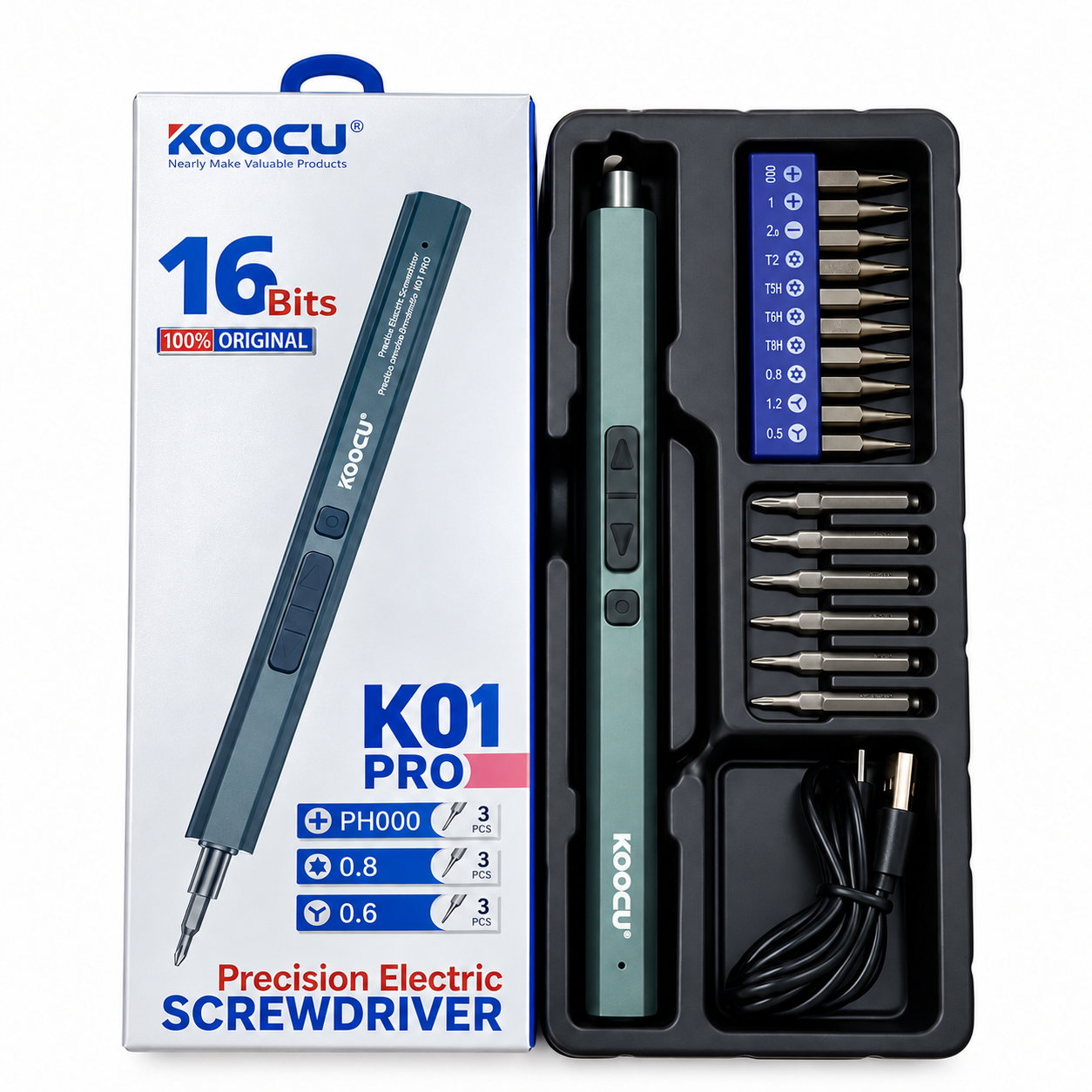
The supplied photographs show the actual kit alongside its retail box. The box identifies the model as K01 PRO and advertises 16 bits, while the tray separates the driver, short bits, longer bits and cable into dedicated sections.
Table of Contents
- Product Overview
- Key Features
- Kit Contents
- Bit Selection and Compatibility
- Repair Applications
- Operation and Care
- Frequently Asked Questions
KOOCU K01 PRO Electric Screwdriver: Product Overview
The driver has a long, slim body with a metal bit holder at one end and recessed controls along its side. KOOCU branding is visible on the handle.
The photographed kit contains a rack of 10 short bits and another 6 longer bits held in separate slots. This arrangement keeps the interchangeable tips together and makes it easier to return them to their storage positions after use.
A black USB cable is also shown in the lower tray compartment. Check the supplied instructions for charging requirements and the functions of the driver’s controls.
Key Features
- Electric precision driver: Intended for compatible small-screw repair tasks.
- 16 interchangeable bits: Includes the short and longer bits shown in the kit.
- Slim handle: Provides a pen-style format for positioning the tool.
- Side controls: Keeps the visible operating buttons on the driver body.
- USB cable: Included in the photographed set.
- Organised tray: Provides separate storage sections for the driver, bits and cable.
- Retail packaging: Clearly identifies the KOOCU K01 PRO model.
Kit Contents
| Item | Quantity shown |
|---|---|
| KOOCU precision electric screwdriver | 1 |
| Short screwdriver bits | 10 |
| Longer screwdriver bits | 6 |
| Total bits | 16 |
| USB cable | 1 |
| Fitted storage tray | 1 |
Review the selling package before ordering if a particular accessory is essential to your work. A wall charging adapter is not shown in the supplied photographs.
Choosing Bits for the KOOCU K01 PRO Electric Screwdriver
Match the Screw Head
Select the bit according to the screw’s drive pattern and size. The supplied rack carries markings for several different tip types, so check the label and inspect the actual tip before use.
A device brand alone does not determine which bit is required. Different screws within the same phone, laptop or other electronic device may require different drivers.
Check the Fit Before Turning
Seat the selected bit squarely in the screw head. If it rocks, slips or does not enter correctly, stop and recheck the size rather than applying more pressure.
Keep the bit aligned with the screw during operation. Correct alignment matters when handling small fasteners and working near delicate components.
Choose an Appropriate Bit Length
The kit includes short and longer bits. Select a suitable length for the available access while keeping the driver stable and avoiding contact with surrounding parts.
Repair Applications
Mobile Phone Servicing
The KOOCU K01 PRO Electric Screwdriver can be considered for compatible screws encountered during phone servicing. Follow the repair procedure for the exact device and organise removed screws carefully.
Laptop and Small Electronics Work
Use the appropriate supplied bit where it matches the fastener. Check access, screw size and the tool’s operating limits before working on an assembly.
Repair-Shop Workstations
The organised tray helps keep the driver and accessories in one place between jobs. Returning bits to their slots also makes it easier to notice a missing item before starting another repair.
Operation and Care
Read the supplied manual before first use. Confirm charging requirements, control functions and any operating limits for the exact K01 PRO unit.
Disconnect the device being repaired from external power and follow its servicing instructions. Fit the bit securely before operating the driver, and keep fingers clear of rotating parts.
Avoid forcing stuck screws or running the tool continuously against resistance. Use a suitable repair method when a fastener requires more force than a precision electric driver is intended to provide.
Wipe the handle and bits with a soft, dry cloth after use. Store the kit in a dry location and protect the bit tips from impact.
For manufacturer information, visit the KOOCU tools website. Match any published specifications to the exact model before relying on torque, speed or battery figures.
Visit Great Choice to explore mobile repair tools, spare parts and accessories.
Related products

Mobile Repairing Tools For TE 03 Open Patti


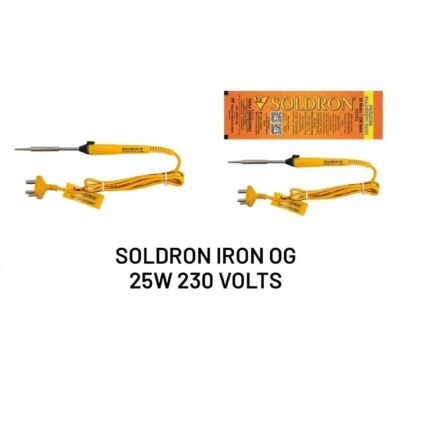
Mobile Repairing Tools For Iron Soldering Og 25w (230volts)
Mobile Repairing Tools For Digital Meter

Mobile Repairing Tools For White Cloths Imported