
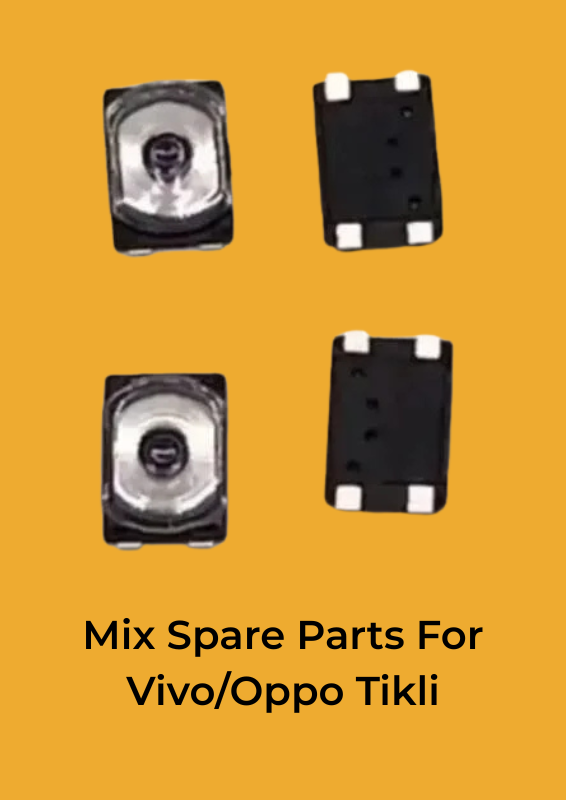

Mix Spare Parts For Vivo/Oppo Tikli
Original price was: ₹5.00.₹3.40Current price is: ₹3.40.
For Oppo Vivo Tikli
* Precision machining fits the cell phone perfectly.
* High quality OEM product, tested and quality checked for each piece before shipping.
* This part is not returnable so please be sure that you are purchasing the proper & correct part for your specific device.
An Android 4-pin silver small on/off switch, such as the one used in Vivo devices, is typically a tactile switch that controls the power functionality of the device. Here’s a general overview of how it works:
### Components and Design:
1. 4 Pins: The switch has four pins for connectivity.
2. Silver Contact: The contact material is often silver, which provides good conductivity.
3. Small Size: Designed to fit into compact spaces within the mobile device.
4. Tactile Mechanism: Provides a physical feedback (a “click”) when pressed.
### Working Principle:
1. Normal State: In its default state, the switch is open, meaning no electrical connection is made between the pins.
2. Pressing the Switch: When the button is pressed, it closes the circuit by making contact between the pins, allowing current to flow.
3. Releasing the Switch: Upon release, the circuit opens again, stopping the current flow.
### Application in Vivo Devices:
– Power On/Off: The primary use is to turn the device on or off.
– Tikli Bubble: This might refer to a specific design or a component associated with the switch, possibly related to a protective or decorative element around the switch.
### Installation:
1. Soldering: The switch is typically soldered onto the motherboard of the device. The four pins are connected to specific points on the PCB (Printed Circuit Board).
2. Alignment: Proper alignment is crucial to ensure the switch functions correctly when the button is pressed.
### Troubleshooting:
– Non-Responsive: If the switch is not working, it could be due to poor soldering, dirt, or damage to the switch or its connections.
– Replacement: If faulty, the switch can be desoldered and replaced with a new one.
Would you like more detailed instructions on how to replace or troubleshoot this type of switch in a Vivo device?
Related products




Reviews
Clear filtersThere are no reviews yet.